Open World Design
Catalog of Courses
Digital Literacy for the Blind/Low Vision
Ages 5–54
Welcome to Open World Design. Our digital literacy programs for blind and low-vision individuals are crafted to foster true independence, academic success, professional achievement, and lifelong connection. Through tailored instruction in both conventional and adaptive technologies, we ensure every learner is empowered to thrive in a digital society.
Little Hands-On Tech Initiative
“Do you know a blind child between the ages of 5 and 17 who is ready to explore the vast possibilities of modern technology?”
According to the National Federation of the Blind, the unemployment rate within the blind community remains over 60%. We are deeply committed to changing this reality at the foundation. Introducing blind children to adaptive and conventional technology early in life equips them with the skills, confidence, and independence needed to succeed in school and in their future careers.
What Explorers Will Experience
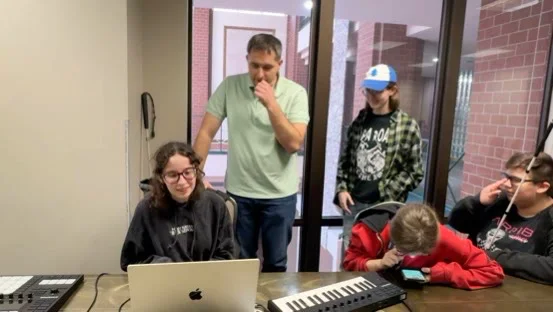
- Multi-Device Hands-On Discovery — Interactive exploration of mobile devices (tablets and smartphones) and desktop computers (Windows and Mac OS). Multi-line Braille devices and AI scene-description apps/wearables, refreshable surfaces (e.g., Canute 360, Graffiti-style displays), tactile graphs, spatial math diagrams, and microcapsule heating devices, digital arts, spatial audio, music production, accessible gaming systems and more.
Show moreShow less
- Real-World Capability — One-day immersive sessions where brilliant young minds experience firsthand what modern digital devices can do for their learning and creativity.
- Peer Inspiration — Opportunities to hear from and connect with other school-aged peers who are already proficient with adaptive tech.
- On-Site Technical Support — Personalized support for students who bring their own devices, including device setup, optimization, configuration, and navigational training.
- Expert Guidance & Demos — Live demonstrations and Q&A sessions led by adaptive technologists and accessibility specialists.
Prerequisites & Requirements
- Age Eligibility — Kindergarten through 12th grade (ages 5 to 17).
- Device Availability — Personal devices are not required—exploration devices are provided on-site. (If bringing a personal device for setup assistance, please ensure all usernames and passwords are accessible).
- Adult Supervision — A parent, guardian, or designated adult must attend the event with the participant.
- Logistics — Transportation to the in-person event must be arranged by the family.
- Registration — Completed intake form submitted prior to the required deadline.
VoiceOver macOS
“Do computers feel too daunting? Are you struggling to relearn computers as a blind or low-vision person? Are you having problems transitioning to using a screen reader? Are you experiencing difficulty converting from the PC to the Mac platform?”
Step by step, we remove the hurdles and anxieties and walk you through achieving basic performance of the operating system. Equipped with multiple methods, you’ll be able to confidently access and navigate pertinent areas of the computer.
Show moreShow less
Students develop the ability to navigate macOS from the blind perspective using keyboard shortcuts. They learn to navigate the internet; perform basic operating-system management, including organizing, transferring, and deleting files; create, share, and access folders and files; use email, text messaging, and word processing; and access and use the cloud—all through Apple’s screen reader.
Prerequisites
- A Mac computer with adequate specifications
- Familiarity with a standard QWERTY keyboard
NVDA — Windows Screen Reader
“Are you new to Windows and unsure how to navigate it or access information as a blind person or screen-reader user?”
Show moreShow less
We equip you to use QWERTY keyboard shortcuts for smooth Windows navigation.
Prerequisites
- QWERTY keyboard proficiency
- A PC with adequate specifications and NVDA installed
Digital Literacy for Blind Adults (ages 18–54)
“Are you looking to elevate your skills in the digital world, raise your competitive value for the job market, pursue higher education, or strengthen your independence through technology?”
Our adult digital literacy program bridges conventional computer skills with adaptive techniques, transforming technology into a powerful tool for professional and personal growth.
Show moreShow less
Overview
- Vocabulary & Digital Frameworks — Advanced technical vocabulary and conceptual framework understanding.
- Core Productivity & Web Mastery — Word processing, spreadsheet drafting, advanced web navigation best practices, AI fundamentals, email management, terminal command basics, downloading/installing software from app stores and web browsers, and Level 2 file and folder management (customized further based on intake evaluation).
- Cross-Device Continuity — Learning to operate seamlessly between mobile devices and desktop operating systems—starting a task on one device and finishing it on another.
- Cloud Computing & Interfacing — Managing cloud storage, online file synchronization, and collaborative digital workspaces.
- System Administration & OS Management — Device customization, accessibility settings, updates, and operating system management.
Prerequisites & Requirements
- Device Ownership — Learner must possess their own computer and/or mobile device.
- Prerequisite Skills — Strong foundational knowledge of digital terminology and proficient touch-typing skills on a standard QWERTY keyboard.
- Instruction Preparedness — Prepared for 2 to 4 hours of live instructor-led training sessions.
- Learning Portal Navigation — Ability to sign into the learner portal for self-paced, asynchronous modules.
- Technical Access — Access to all necessary device and account usernames and passwords.
- Internet Connection — Stable high-speed internet connection required for live online sessions.
- Intake Evaluation — Completed intake evaluation form submitted prior to course entry.
Longevity Lab
Age 55+


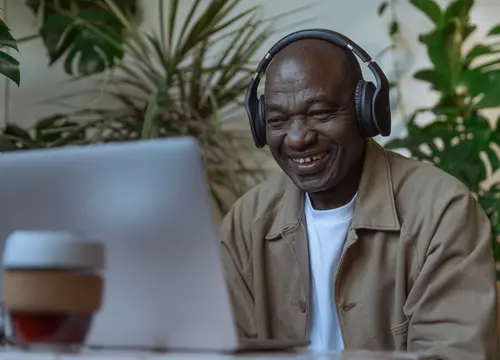


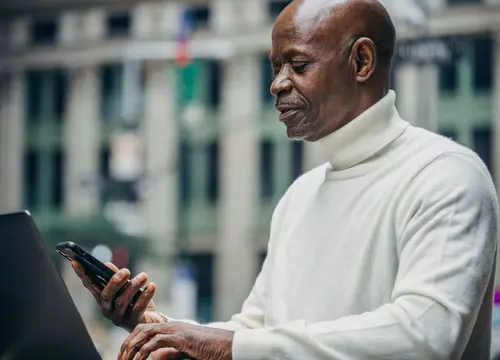

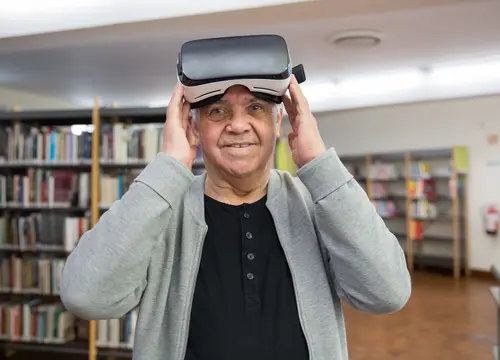
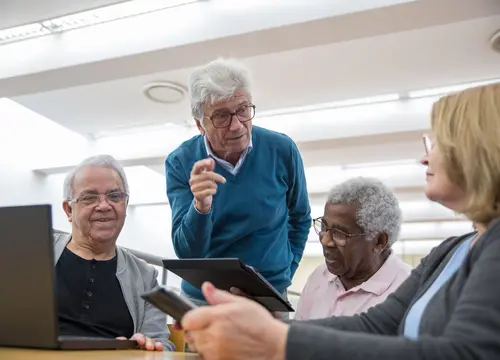



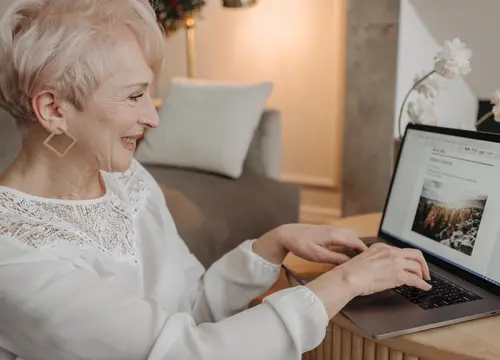
Welcome to the Longevity Lab! Our courses are thoughtfully designed to empower seniors with practical, hands-on technology skills in a warm, patient, and encouraging environment. Whether you want to stay connected with loved ones, master your devices, or explore cutting-edge tools, we are here to support your journey every step of the way. This program is intentionally crafted to guide learners from traditional analog habits to confident digital capability—moving you smoothly from the physical office space to inside the computer with complete ease.
Longevity is not simply the extension of time—it is the continuation of contribution, connection, and legacy in a rapidly evolving world.
Adaptive & Conventional Digital Literacy for Blind Seniors
Are you a blind or low-vision senior feeling as though the digital world is moving too fast? You deserve technology that honors your independence.
Show moreShow less
This warm, supportive course combines conventional devices with adaptive technologies—such as screen readers, voice controls, and audio cues—tailored specifically to the pace and daily needs of blind seniors.
Overview
- Screen Reader Foundations — Comfortable navigation using screen-reading software (VoiceOver, TalkBack, NVDA, or JAWS).
- Daily Living & Independence — Managing online groceries, accessing telehealth video calls, downloading audiobooks, and handling digital tasks smoothly.
- Accessible Communication — Voice-guided emailing, messaging, and effortless phone calling to stay close with family.
- Safe Browsing & Privacy — Navigating accessible websites confidently while guarding against digital scams.
Prerequisites
- Device Ownership — Learner must have access to a smartphone, tablet, or computer.
- Intake Evaluation — Completed intake form so instruction can be adapted to your specific audio and tactile preferences.
- Internet Access — Stable internet service required for live virtual group or individual sessions.
- Account Access — Account login details available for setup and practice.
iPhone for Seniors
Have you ever wondered how everyone is running around staring at these screens all day? Or thought about how nice it would be to navigate technology as comfortably as your grandchildren do?
Show moreShow less
In our iPhone for Seniors training, you will step into a warm, supportive space to master your smartphone step by step.
What You Will Learn
- Physical Handling — Best practices in holding, managing, and operating your iPhone comfortably.
- Key Terminology — Clear vocabulary and terms pertaining to modern iPhones and iOS.
- Operating System Layout — Understanding the basic structure, home screens, and menu navigation of iOS.
- App Selection & Usage — Discovering and using applications tailored specifically to your personal daily needs.
- Shortcuts & Gestures — Time-saving touch gestures and shortcuts to help you navigate with effortless ease.
- File & Photo Management — How to organize, find, and manage photos, files, and folders on your device.
- Internet Navigation — Browsing the web safely, securely, and confidently as an experienced user.
- Social Media Navigation — Connecting with family and friends across popular social platforms.
Prerequisites & Requirements
- Device — You must possess your own iPhone.
- Internet Connection — Stable internet access is required for live online training sessions.
- Session Length — Please come prepared for a 2-hour interactive training session.
- Account Details — Must have all necessary passwords and usernames ready for full account access during training.
- Intake Form — Completion of our intake evaluation form prior to class so we can tailor instruction to your needs.
Android for Seniors
Are you tired of feeling left behind in today’s fast-paced digital world? Are you struggling to make full sense of your phone?
Show moreShow less
Our Android Mobile Device Training for Seniors is designed to turn technical confusion into everyday peace of mind.
What You Will Learn
- Physical Device Handling — Best practices for holding and navigating your Android device with confidence.
- Key Terminology — Clear, accessible vocabulary pertaining to the Android operating system.
- System Structure — Understanding the layout of Android home screens, settings, and notifications.
- App Selection & Usage — Identifying and using applications tailored to your lifestyle and daily interests.
- Shortcuts & Gestures — Helpful gestures and shortcuts for smooth, efficient device navigation.
- File Management — Organizing, saving, and retrieving documents, photos, and files on your device.
- Internet Navigation — Exploring the web safely, securely, and avoiding digital scams.
- Social Media Navigation — Connecting seamlessly with loved ones through social applications.
Prerequisites & Requirements
- Device — You must possess your own Android mobile device.
- Internet Connection — Stable internet access is required for live online training sessions.
- Session Length — Please come prepared for a 2-hour interactive training session.
- Account Details — Must have all necessary usernames and passwords ready for device and app access.
- Intake Form — Completion of our intake evaluation form so we can optimize your learning experience.
iPad for Seniors
Are you looking to express your creative side in the digital world? Is technology getting in the way of staying social with family and friends?
Show moreShow less
It is time to pull out those larger screens and turn technical confusion into connection, creativity, and joy.
What You Will Learn
- Terminology & Vocabulary — Key terms surrounding the iPad and iPadOS.
- System Flow — Understanding how iPadOS is structured for an easy, fluid, and creative workflow.
- Creative & Practical Apps — Finding and using the right apps for digital art, reading, entertainment, and productivity.
- Safe Web Browsing — Best practices for navigating the internet securely while avoiding traps and online pitfalls.
- Video Conferencing — Connecting face-to-face via Zoom, Google Meet, and FaceTime.
- Shortcuts & Gestures — Touch gestures and multi-finger shortcuts for effortless screen management.
- Email & Daily Management — Email setup, file organization, and mastering common utility apps.
- Social Media Navigation — Enjoying social platforms smoothly on a clear, high-definition screen.
Prerequisites & Requirements
- Device — You must possess your own iPad device.
- Internet Connection — Stable internet access is required for live online training sessions.
- Session Length — Please come prepared for a 2-hour engaged training class.
- Account Details — Must have all relevant passwords and account usernames available.
- Intake Form — Completion of our intake evaluation form to personalize your learning journey.
Senior Desktop Computer Training (Windows OS)
Ready to feel completely comfortable sitting down at your computer without second-guessing every click?
Show moreShow less
Our Windows Desktop Training for Seniors breaks down the computer into friendly, step-by-step lessons so you can manage documents, stay connected, and browse with total clarity.
What You Will Learn
- Physical Setup & Ergonomics — Best practices for physical setup, comfortable mouse control, and keyboard posture.
- Windows Vocabulary & Navigation — Essential Windows terminology, screen layout, and Start menu basics.
- File Explorer & Organization — Creating, organizing, finding, and managing files and folders.
- Internet & Email Security — Safe web-browsing practices, managing email, and sharing attachments securely.
- Everyday Applications — Utilizing built-in Windows applications and tools tailored to your routine.
- Visual & Display Customization — Adjusting screen resolution, text sizes, and accessibility options for effortless viewing.
Prerequisites & Requirements
- Device — Access to a desktop or laptop computer running Windows OS.
- Internet Connection — Stable internet access required for live online sessions.
- Session Length — Please come prepared for a 2-hour interactive training session.
- Account Details — Must have all relevant account usernames and passwords available.
- Intake Form — Completion of our intake evaluation form to adapt training to your goals.
Senior AI Exploration
Are you feeling bogged down by complex technology and wondering how to make modern tools work for you? Would you be interested in simplifying your daily routine and speeding up your workflow?
Show moreShow less
Join us for an inspiring dive into artificial intelligence! Discover how friendly, modern AI tools can answer questions, summarize information, and assist your daily life.
What You Will Learn
- AI Vocabulary & Concepts — Core terminology demystified in plain, approachable language.
- Platform Selection — Discovering which AI tools and platforms best fit your personal goals.
- Prompting & Workflows — Practical prompting techniques and smart daily time-saving routines.
- Local vs. Online AI — Understanding the key differences between local, private, and cloud-based AI tools.
Prerequisites & Requirements
- Device — Learner must own their own mobile device (smartphone/tablet) or desktop computer.
- Internet Connection — Reliable, stable internet access.
- Experience Level — Must be an advanced user of computers or mobile devices.
- Session Length — Please come prepared for a 2-hour interactive exploration session.
- Tech Literacy — Must possess a strong foundational understanding of digital technology terminology.
Adaptive Audio Technology
Previously Music Engineering & Music Production Program (MPEP)
Voice Acting
Course level: Intermediate to Advanced
Instruction format: Group or One-on-One (In-Person or Live Video Conferencing)
Does the opportunity to bring dynamic characters to life and shape stories using your voice excite you?
Show moreShow less
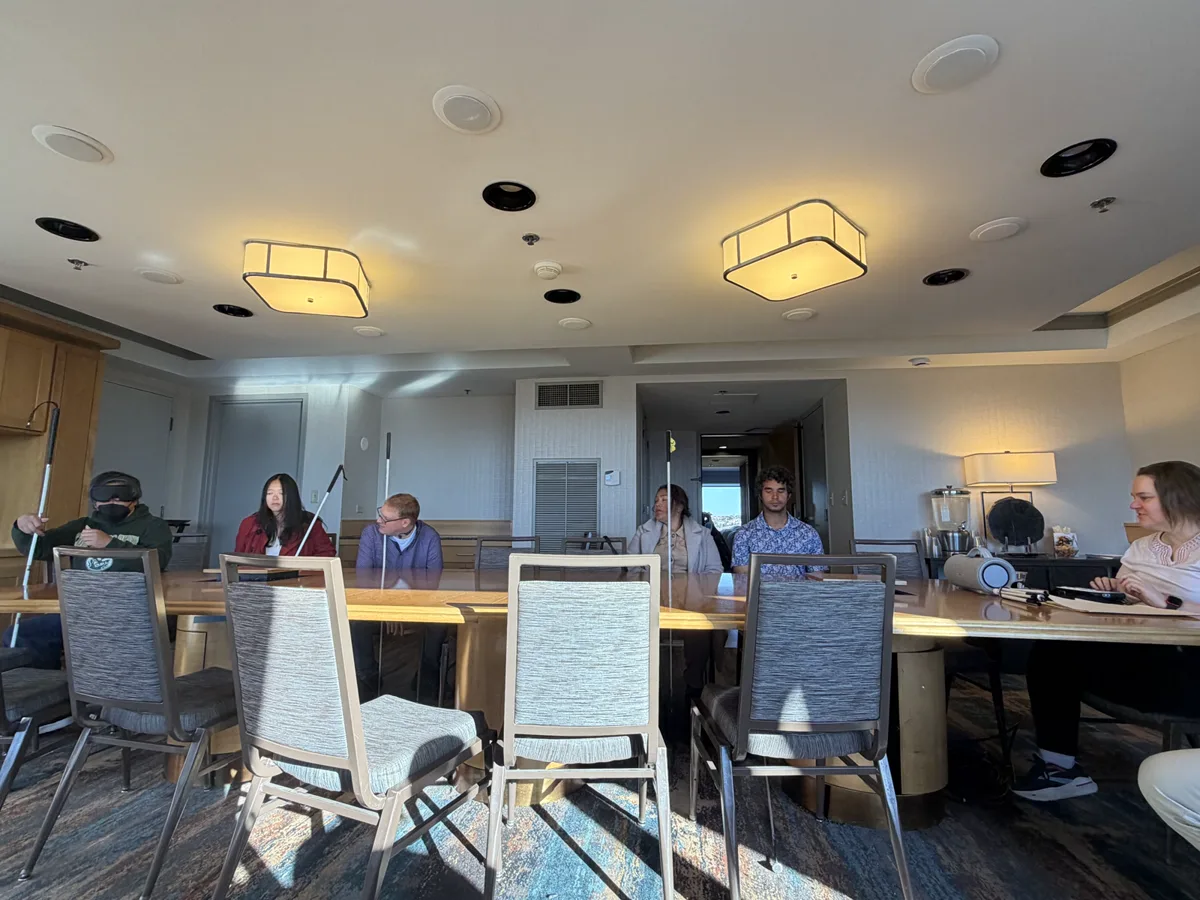
Guided by a world-class, blind voice acting instructor, this course focuses on your unique strengths to help you turn your vocal passion into a professional pursuit. Available in flexible group or individualized settings, this program delivers comprehensive instruction covering artistic performance, technical studio setup, demo reel production, and practical navigation of the voiceover industry.
What You Will Learn
- Voiceover Production & Performance — Vocal control, script interpretation, and character development techniques.
- Industry Dynamics — Understanding producer roles, industry standards, and best practices for collaborating with sighted clients.
- Adaptive Studio Workflow — Selecting, setting up, and operating the best accessible technology for home recording studios.
- Personal Reel Creation — Assembling, editing, and producing a personal voiceover demo reel to showcase to potential clients.
- Post-Production & Delivery — Best editing practices, file preparation, audio mastering, and client delivery methods.
Prerequisites
- Studio Setup — Learner must own, set up, and configure their recording equipment and software before training begins.
- Audio Knowledge — Learner must demonstrate a strong baseline understanding of audio recording and editing concepts.
- Prerequisite Training — Learner must have completed OWD’s beginner OS/screen reader training, or score 90% or higher on the placement exam.
- Literacy Skills — Learner must demonstrate strong reading fluency and comprehension skills in Print, Braille, or accessible media.
- Adaptive Tech Mastery — Learner must possess advanced working knowledge of adaptive technology and screen readers.
- Connectivity — Learner must have a stable internet connection for live video instruction.
DJ PRO
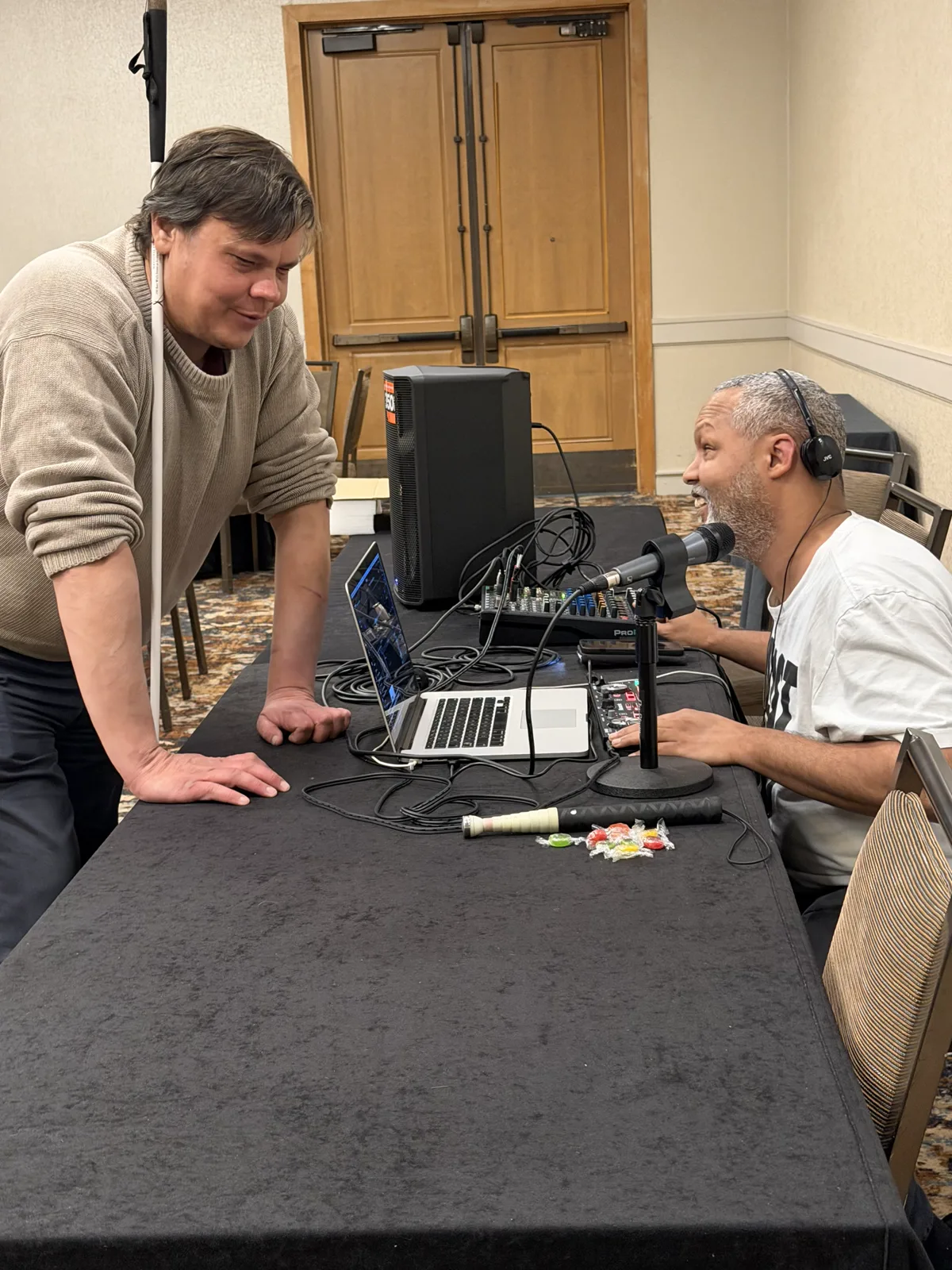
Have you ever dreamed of a vocation elevating people’s nightclub experience? Or making someone’s wedding day ultra-special? Or creating smooth and memorable transitions for someone’s graduation?
Show moreShow less
DJ Pro provides learners with a comprehensive understanding of DJ software and techniques as a screen-reader user.
Prerequisites
- Intermediate-to-advanced understanding of the operating system of choice
- VirtualDJ or djay Pro software
- DJ controller
- If applicable: bone-conduction headphones, conventional headphones, microphone, and PA speakers
Audio Technology
Confused, intimidated, or overwhelmed by audio language and equipment? If you answered yes to any of these questions, look no further. We demystify the audio world.
Show moreShow less
Learners learn introductory principles, vocabulary, software, equipment, and functions involved in audio technology. They explore how audio technology—software and equipment—interfaces with their production ideas. This is not a production course. Rather than techniques, learners receive a basic understanding of the framework, architecture, and functionality of the technology, along with the ability to communicate confidently within the industry. Language enables comprehension, which supports audio ideas and expression.
Prerequisites
- Beginner-to-intermediate DAW skills
- Microphone
- DAW (digital audio workstation)
- Computer
- Audio interface (external sound card)
- Audio monitoring (headphones or speakers)
- Ability to monitor in stereo
- Zoom
- Ability to access and navigate Zoom
Podcasting You
Course level: Intermediate to Advanced
Instruction format: Live Online / One-on-One or group-based Instruction
Have you ever dreamed of hosting your own podcast or becoming a content creator, but felt intimidated by the technical hurdles of achieving professional audio quality as a blind or low-vision podcaster?
Show moreShow less
Podcasting You pairs you with experienced, blind instructors who understand your specific access needs and tailor training directly to your dream content. Designed to take you from initial concepts to mastering your own show, this course provides hands-on, accessible instruction to help you achieve polished, broadcast-ready results.
What You Will Learn
- Audio Mixing & Editing — Core techniques for balancing tracks, cutting audio, and mastering project levels.
- Sound Design & Structuring — Crafting narrative flow, episode layout, sound effects, and content preparation.
- Adaptive Audio Technology — In-depth training on operating Digital Audio Workstations (DAWs), hardware, and production software using accessibility tools.
- Show Management — End-to-end workflows for recording, producing, and releasing independent podcast content.
Prerequisites
- Equipment — Learner must possess their own audio gear, technology, and software prior to starting the course.
- Technical Proficiency — Learner must have completed OWD’s Operating System (OS) and Screen Reader training, or pass the proficiency assessment with a score of 90% or higher.
- Connectivity — Learner must have access to a stable, high-speed internet connection for live remote instruction.
Logic Pro X 2022
How would you like to grasp a strong fundamental understanding of digital creation?
Show moreShow less
Logic Pro X is a popular audio-industry-standard DAW (digital audio workstation). It is a leading industry DAW for creatives interested in production, digital composition, and sound design. Logic Pro X provides learners with an accessible, user-friendly interface for music creation, production, and editing. This general-purpose Logic course is geared toward the singer-songwriter, composer, or producer who mainly works with audio, along with some MIDI to supplement productions. It covers the fundamentals of recording, editing, navigating, using Drummer, and arranging. With its ease of use, Logic Pro X is an optimal choice for visually impaired learners, offering creative proficiency without sacrificing technical precision or control.
Expanding beyond memorization of hundreds of shortcuts in various applications—operating system, VoiceOver, and DAW—we train learners in resourcefulness, empowering them to work effectively side by side with their sighted peers. Screen-reader navigation of the user interface enables learners to achieve fully independent participation in coursework at educational institutions.
Prerequisites
- Comprehensive understanding of macOS
- 90% accuracy with QWERTY keyboard familiarity (all Mac courses)
- Comprehensive understanding of VoiceOver screen-reader navigation
- Basic working knowledge of all necessary hardware specific to the learner’s configuration
Logic Pro X BeatMaking & Sampling
Welcome to beat-making and sampling with a leading industry DAW for creatives interested in production, digital composition, and sound design. What exists within the seeds of your creativity? In this course, we’ll release the fresh shoots and discover your unique voice.
Show moreShow less
Logic Pro X is a popular audio-industry-standard DAW. It provides learners with an accessible, user-friendly interface for music creation, production, and editing. With its ease of use, Logic Pro X is an optimal choice for visually impaired learners, offering creative proficiency without sacrificing technical precision or control.
Expanding beyond memorization of hundreds of shortcuts in various applications—operating system, VoiceOver, and DAW—we also train learners in resourcefulness, empowering them to work effectively side by side with their sighted peers. Screen-reader navigation of the user interface enables learners to achieve fully independent participation in educational and professional settings. This course is ideal for beat-making, sampling, mixing, digital arranging, Foley—sound effects for movies, video, and gaming—and all things MIDI production.
Prerequisites
- Comprehensive understanding of macOS
- 90% accuracy with QWERTY keyboard familiarity for all Mac courses
- Comprehensive understanding of VoiceOver screen-reader navigation
- Basic working knowledge of all necessary hardware specific to the learner’s configuration
Navigating Pro Tools
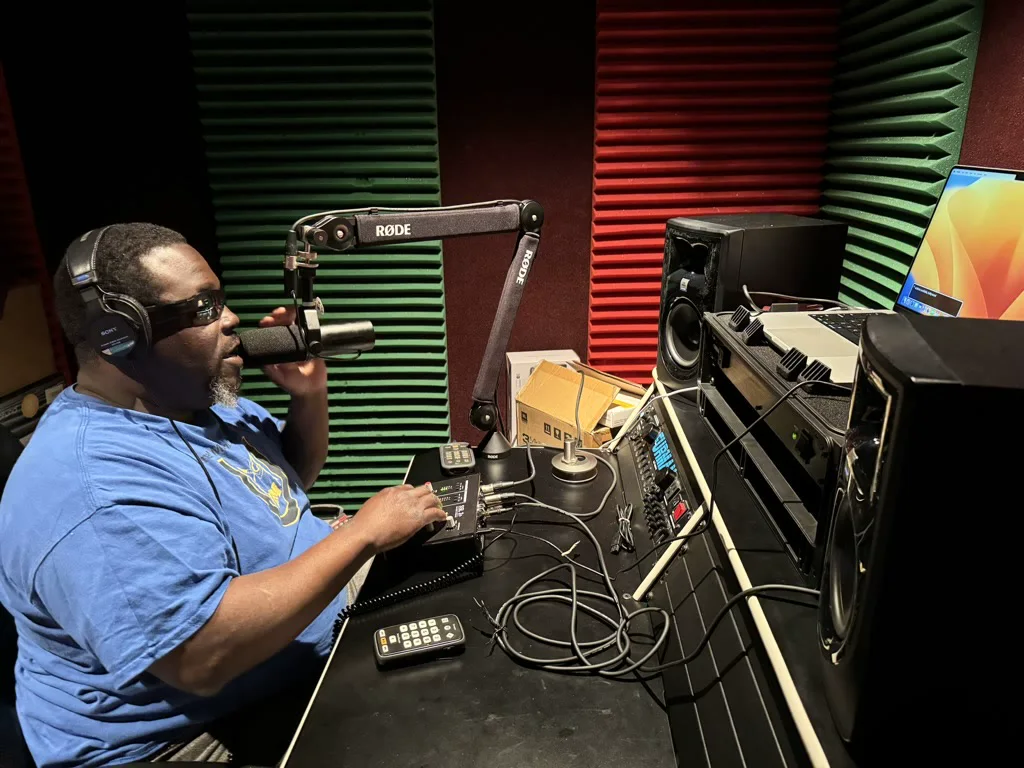
Are you going to school and need audio accessibility training for operating Pro Tools or Logic?
Show moreShow less
Vocational direction determines Logic or Pro Tools. Electronic and MIDI producers use Logic. Engineering, post-production, and mixing use Pro Tools or Reaper. When attending school, learners will need both.
Prerequisites
- Proficiency with macOS and VoiceOver navigation
- Current Pro Tools license
- iLok, if applicable
- Mac computer
- Converter/audio interface
- Audio monitors (headphones and/or speakers)
- Microphone
- Full-length QWERTY keyboard with a numeric keypad
- MIDI controller
Reaper I (Microsoft Windows)
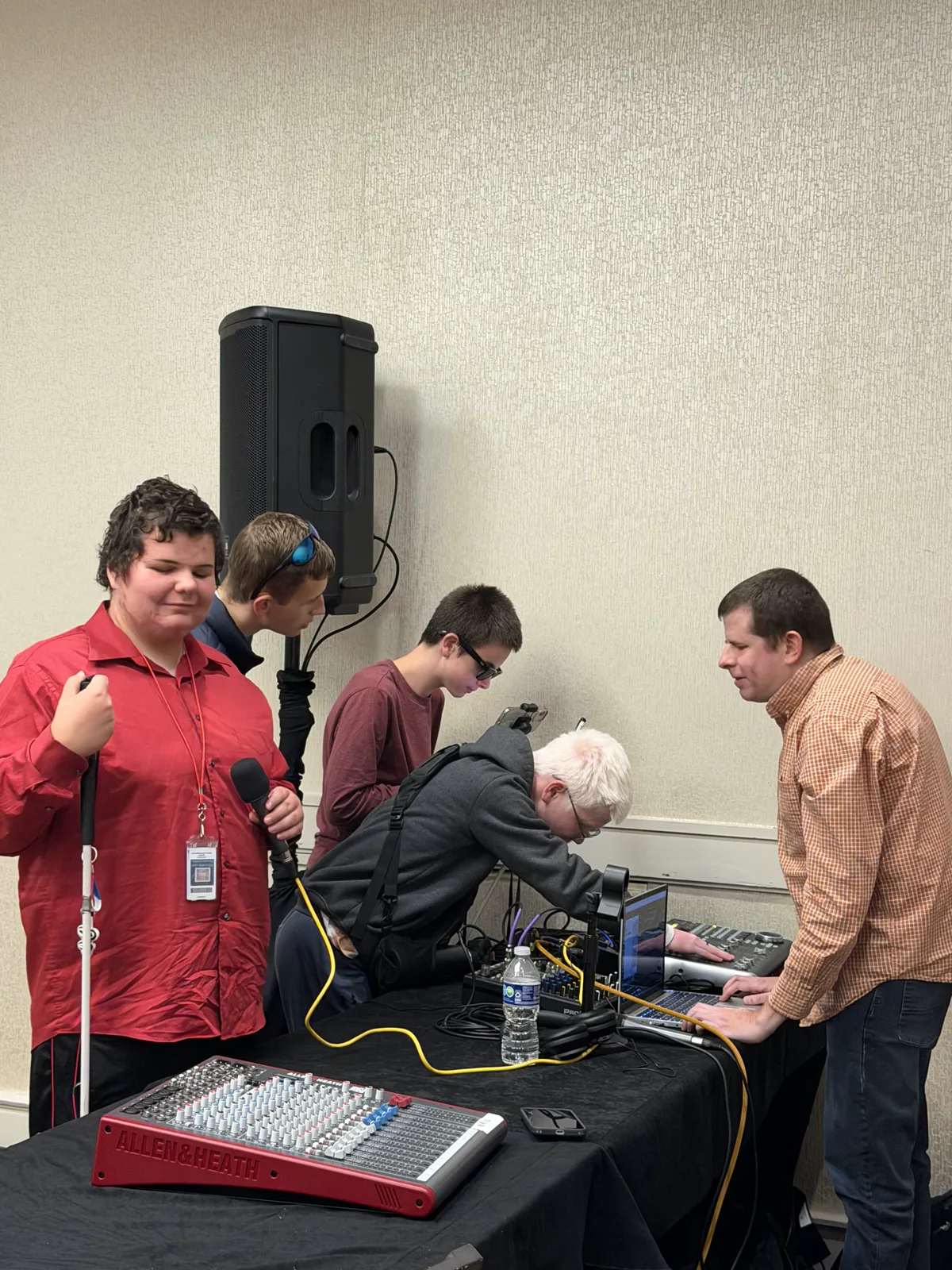
Are you in need of a budget-friendly, fully accessible DAW (digital audio workstation) that allows you to compete professionally in studio production on both Windows- and Mac-based platforms?
Show moreShow less
Recommended for people who are budget-conscious, Reaper I is a highly customizable DAW. It provides the power of mixing, editing, recording, live acoustic instrumentation, podcasting, sound design, and more.
Prerequisites
- Current Reaper license
- OSARA
- SWS (Standing Water Studios)
- PC with adequate specifications
- Audio monitors (headphones and/or speakers)
- Microphone
- Full-length QWERTY keyboard with a numeric keypad
Reaper II (Microsoft Windows)
How does it feel to be an advanced user of Reaper? Join us as we help you embrace MIDI. Wow the world with your creative virtuosity!
Show moreShow less
This course continues where Reaper I ends. Reaper II provides an advanced understanding of the software and support for more polished digital productions—for example, advanced MIDI production and managing and creating with third-party software instruments.
Prerequisites
- Reaper I
- Proficient screen-reader use
- Current Reaper license
- OSARA
- SWS (Standing Water Studios)
- PC with adequate specifications
- Audio monitors (headphones and/or speakers)
- Microphone
- Full-length QWERTY keyboard with a numeric keypad
Reaper I (macOS)
Are you in need of a budget-friendly, fully accessible DAW (digital audio workstation) that allows you to compete professionally in studio production on both Windows- and Mac-based platforms?
Show moreShow less
Recommended for people who are budget-conscious, Reaper I is a highly customizable DAW. It provides the power of mixing, editing, recording, live acoustic instrumentation, podcasting, sound design, and more.
Prerequisites
- Current Reaper license
- OSARA
- SWS (Standing Water Studios)
- Mac with adequate specifications
- Audio monitors (headphones and/or speakers)
- Microphone
- Full-length QWERTY keyboard with a numeric keypad
Faster with Flo Tools
Want to be a faster and more proficient Pro Tools user? Ready to learn the state of soloed, muted, and selected tracks—and more—with fewer keystrokes?
Show moreShow less
Faster with Flo Tools increases efficiency by enhancing workflow. It simplifies the navigation process. Flo Tools streamlines and automates tasks, enabling you to deliver projects in a timely fashion.
Prerequisites
- Current Flo Tools installation
- Competent Pro Tools navigation
- Current Pro Tools license
- Current Keyboard Maestro license
- iLok as a cloud-based or physical key
- Mac computer
- Converter/audio interface
- Audio monitors (headphones and/or speakers)
- Microphone
- Full-length QWERTY keyboard with a numeric keypad
- MIDI controller
Intro to Mixing
The mixing process polishes your rhythmic and melodic choices. Tell your story.
Show moreShow less
Mixing is the act of balancing levels and managing frequencies. Do you value tiene duende sounding mixes? How would you inject emotion, clarity, and ear candy into your creation?
tiene duende — magical, inspired
Prerequisites
- Proficient navigation of the preferred DAW
- Adequate monitoring
- Interface of choice
- Control surface, if applicable
Logic Pro X Mixing
Where do technology and creativity intersect in your audio presentations? Left brain, right brain—light bulb!
Show moreShow less
The pillar of every mix contains the basic ingredients of compression, reverb, EQ, delays, saturation, and more. This is less a mixing course and more an in-depth exploration of all the foundational tools required to make a tiene duende mix possible. Master these fundamentals to build competence and confidence in your future mixes.
tiene duende — magical, inspired
Prerequisites
- Proficient navigation in Logic
- Current Logic license
- Adequate monitoring
- Control surface, if applicable
Logically Drumming
Remember how you felt the first time you heard the distinctive beginning of Michael Jackson’s “Billie Jean” or Phil Collins’s iconic drum performance on “In the Air Tonight”?
Show moreShow less
Mastering your performance via Logic Drummer will add color and control to your music that otherwise would take countless hours to achieve. Obtaining a strong command of MIDI programming, sampling, and proper tuning of the drums to your composition supports your hit-record creation. Bestow your captivating drum patterns upon the world!
Prerequisites
- Proficient navigation skills in Logic software
- Current Logic license
Navigating Music Licensing
When was the last time your creativity made money in the audio industry? Eliminate the anxiety of not knowing where to go or how to profit without compromising your art. Join us as we help you navigate the world of licensing from the blind perspective.
Show moreShow less
Prerequisites
To benefit from the music licensing course, the learner must have functional knowledge of the following tasks:
- Functional comprehension of a screen reader and its role in performing everyday computer tasks
- Basic familiarity with word-processing documents and spreadsheets
- Basic understanding of copy, cut, and paste; general knowledge of file management, including renaming files, reorganizing files, and creating or retitling folders
- Ability to compress and decompress folders, including zipping and unzipping folders
- Functional knowledge of navigating the internet
- General understanding of day-to-day email operations
- General knowledge of music-production tasks in the DAW of choice, including recording, editing, arranging, loading virtual instruments, loading audio effects, and quantizing